1. Open Facebook business
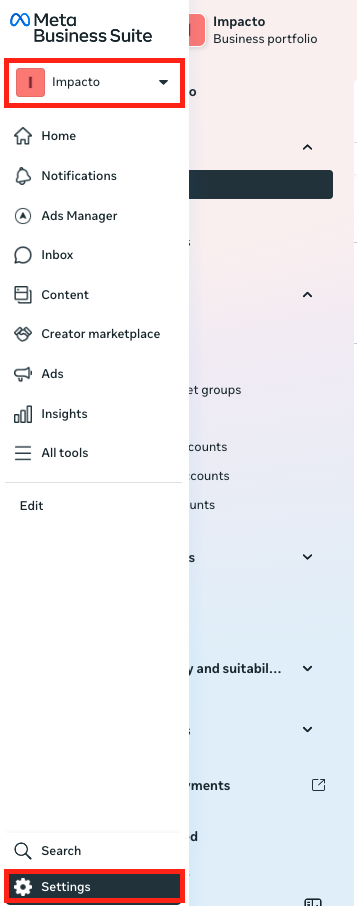
Go to Meta Business Suite and sign in with your account.
Choose the correct business portfolio
In the bottom-left corner, click Settings (⚙️ icon).
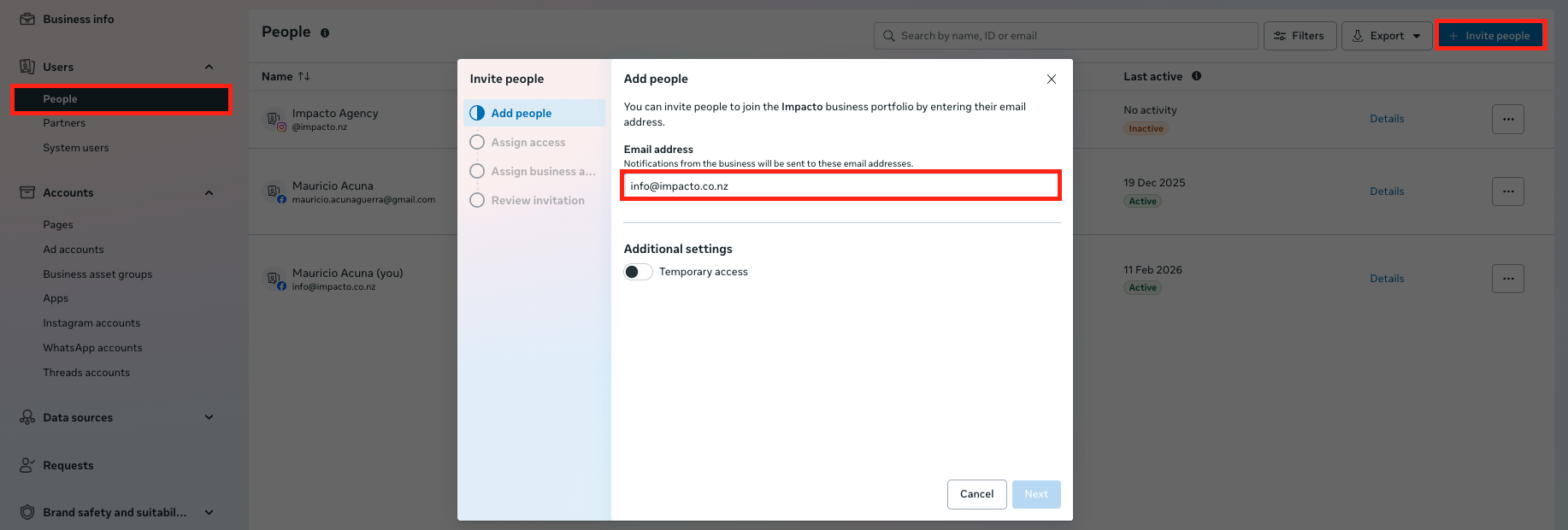
2. Go to People
Under the People column click the blue button “Invite people”.
Add info@impacto.co.nz and click next.
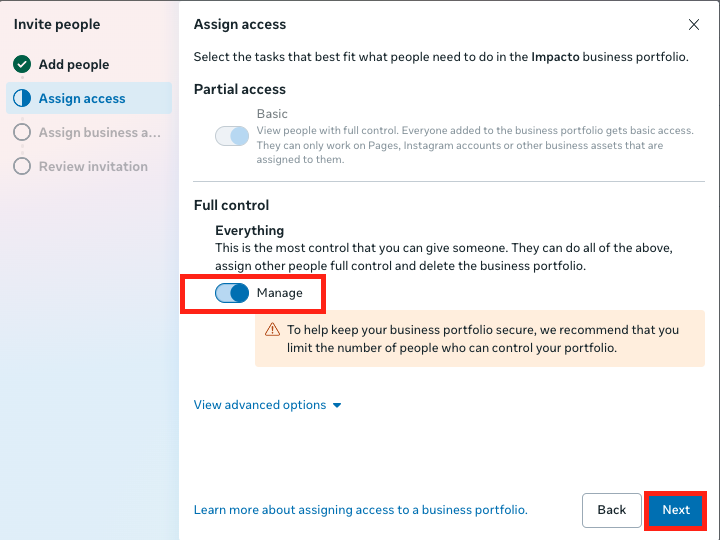
3. give full access
Toggle on “full control” and then click next.
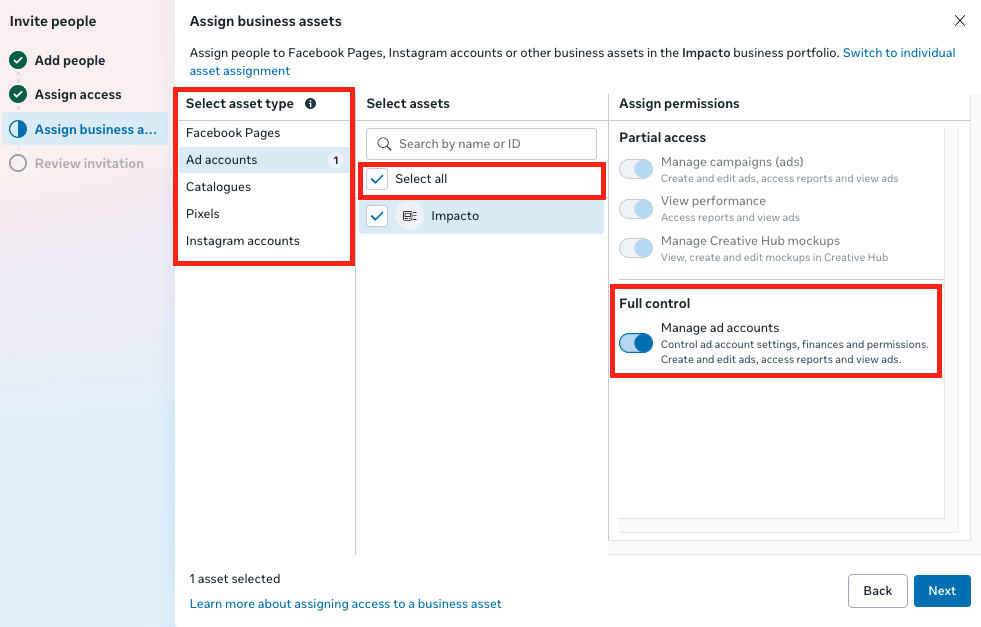
4. add all assets
- Go through each of the asset type one by one
Click “select all” for each of the relevant assets. In most cases this should be all asset types.
Toggle on full control
- Click next
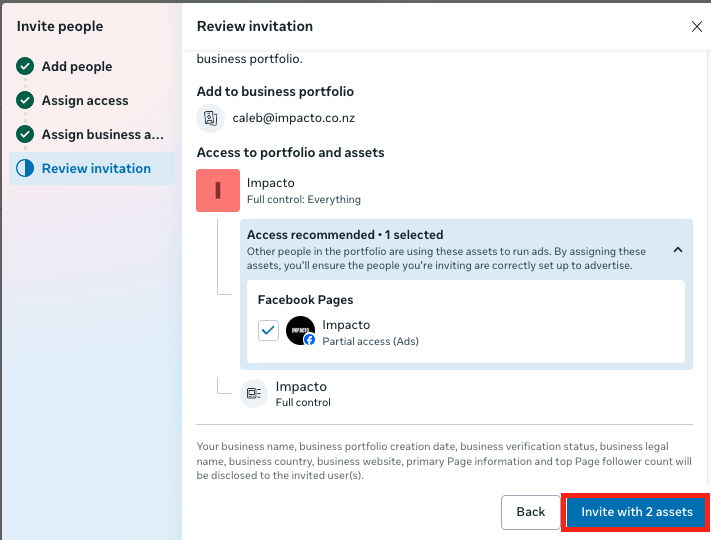
5. finalise invitation
Done! — we’ll receive an invite automatically.