1. Open google analytics
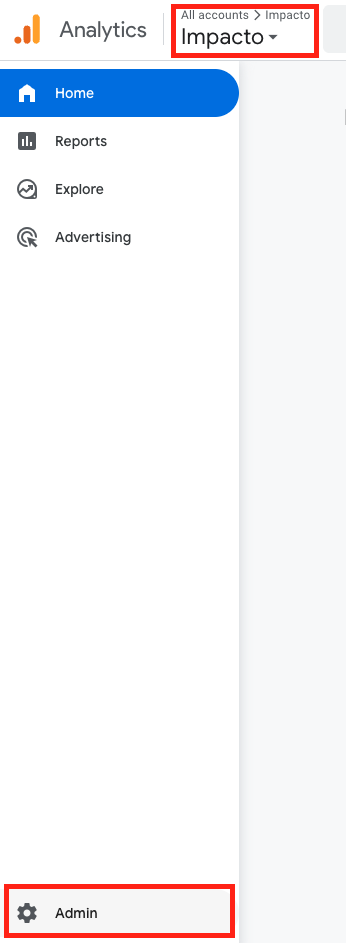
Go to Google Analytics and sign in with your Google account.
• Choose the correct Account
• Then select the correct GA4 Property (website)
In the bottom-left corner, click Admin (⚙️ icon).
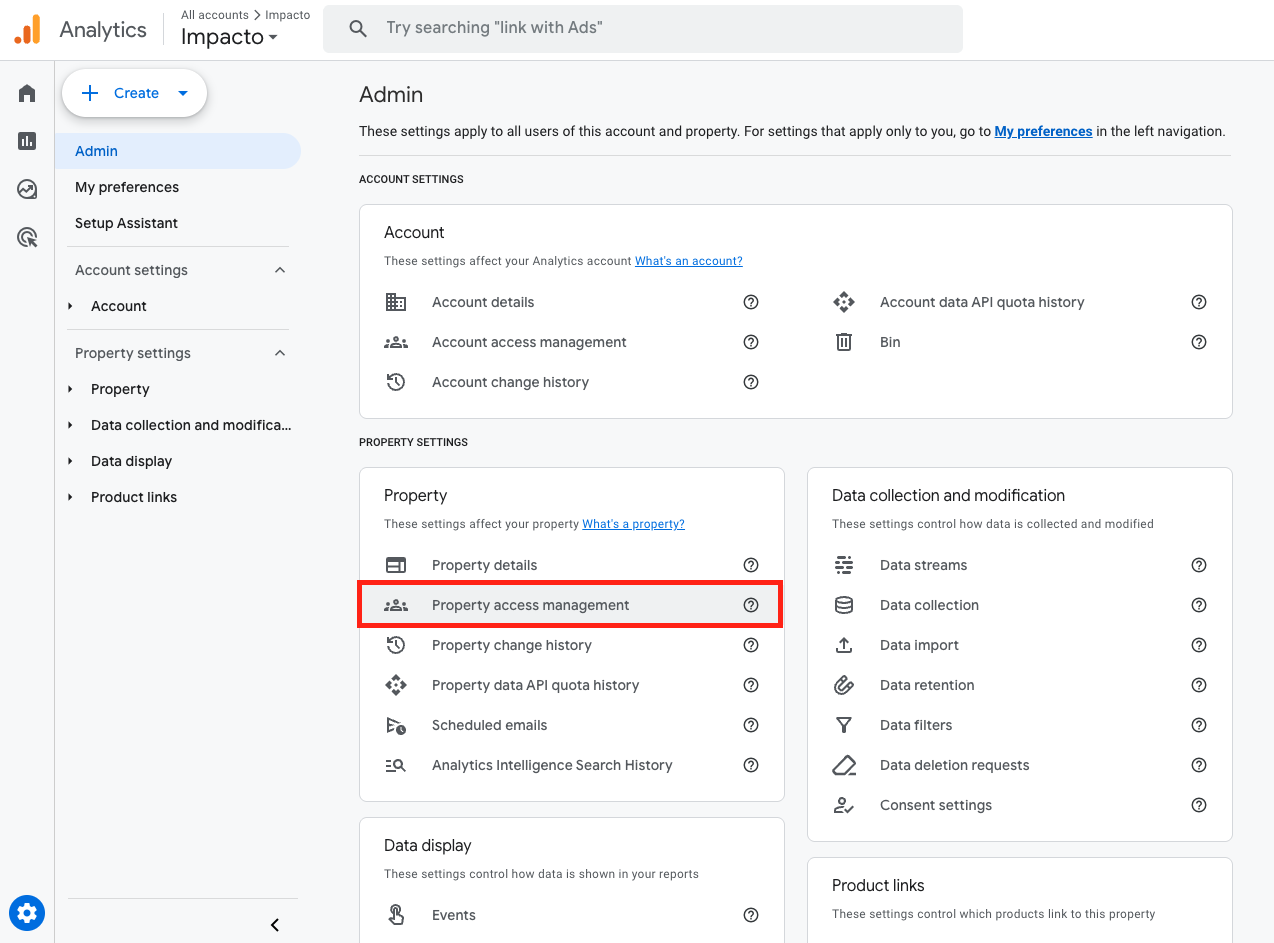
2. Go to Property Access Management
Under the Property column click Property access management
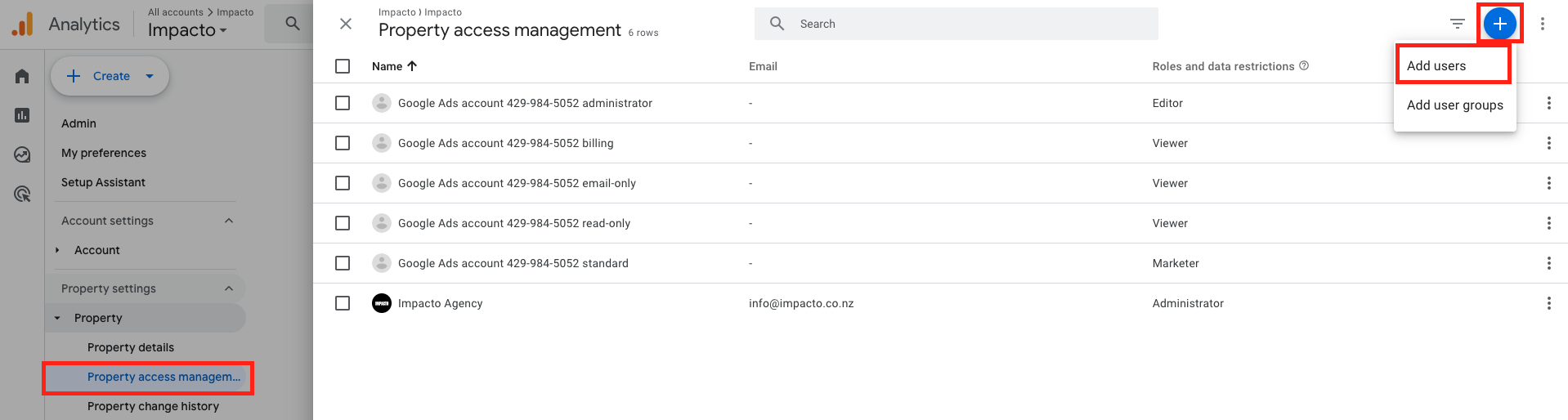
3. Click add user
In the top right corner, click the blue plus icon and then add users.
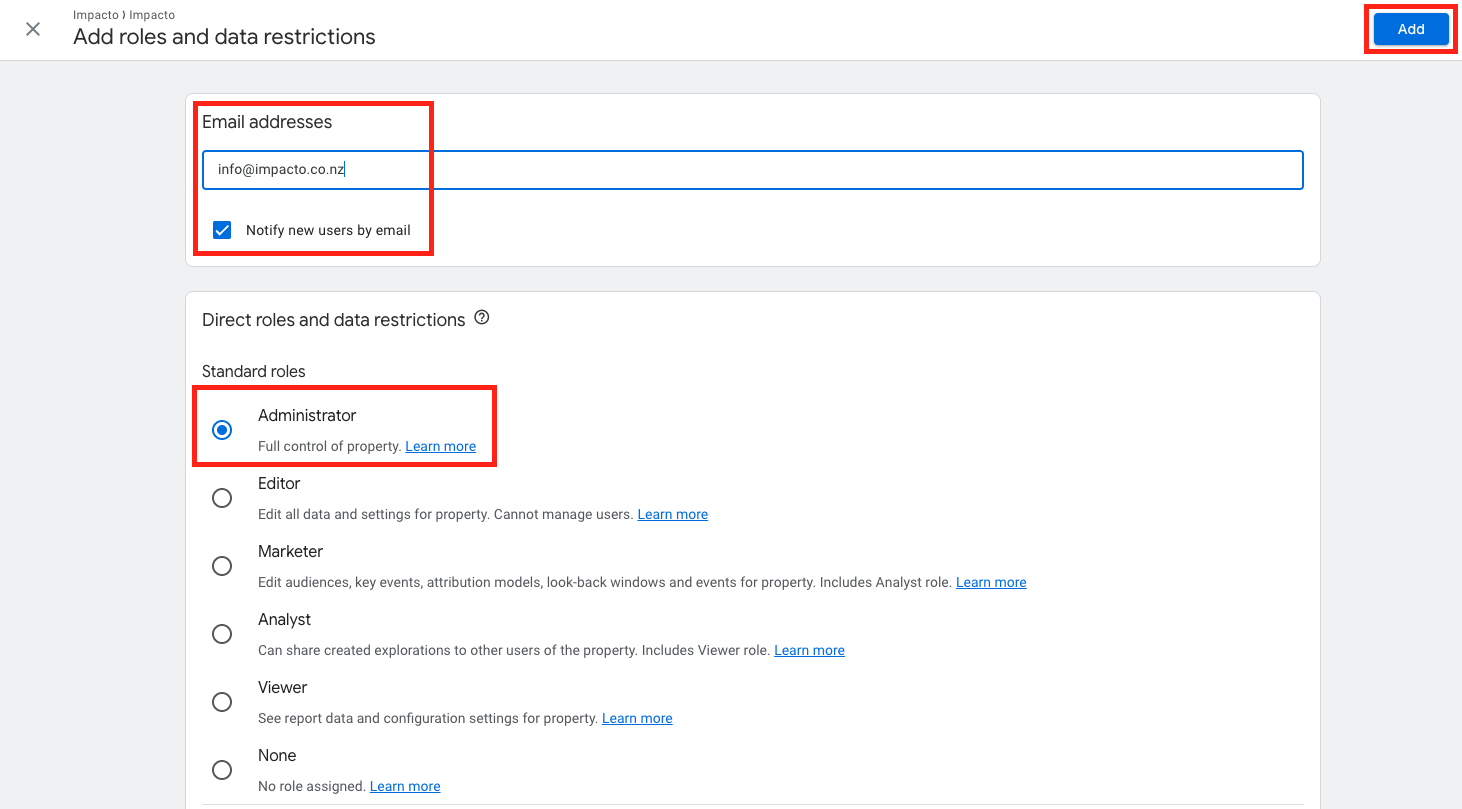
4. add impacto as a user
- Enter the email address info@impacto.co.nz
-
Choose a permission level:
-
Click Add.
Done! — we’ll receive an invite automatically.