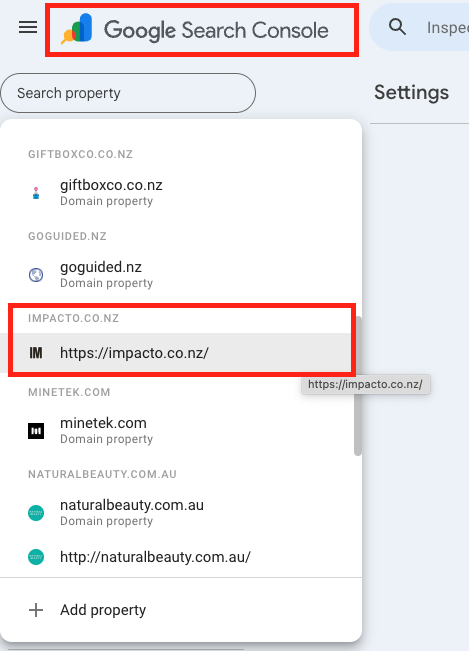
1. Open google search console
Go to Google Search Console and sign in with your Google account. In the top-left dropdown, select your website (property).
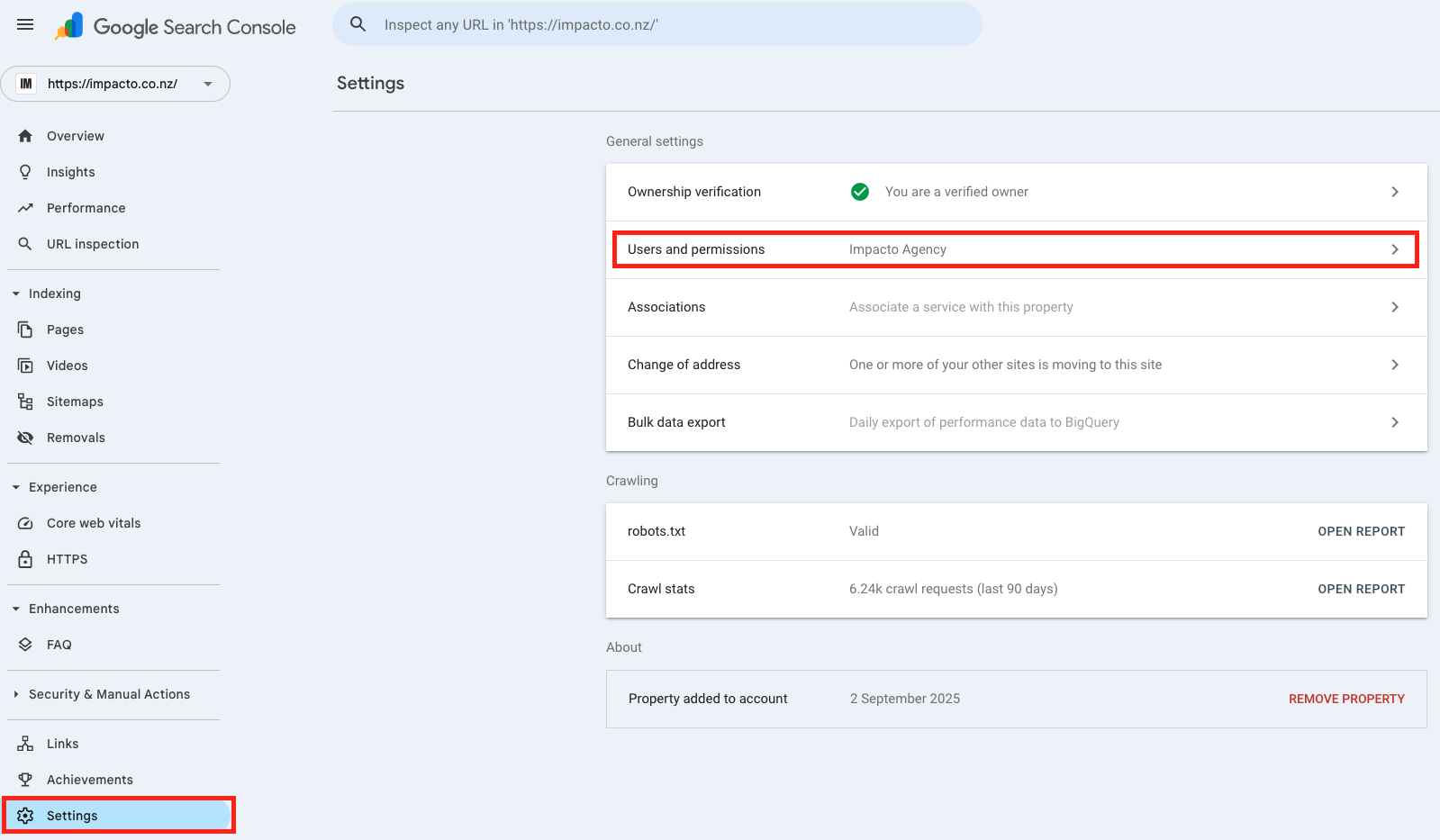
2. Open settings & users
In the left-hand menu, scroll down and click Settings. Under Settings, click Users and permissions.
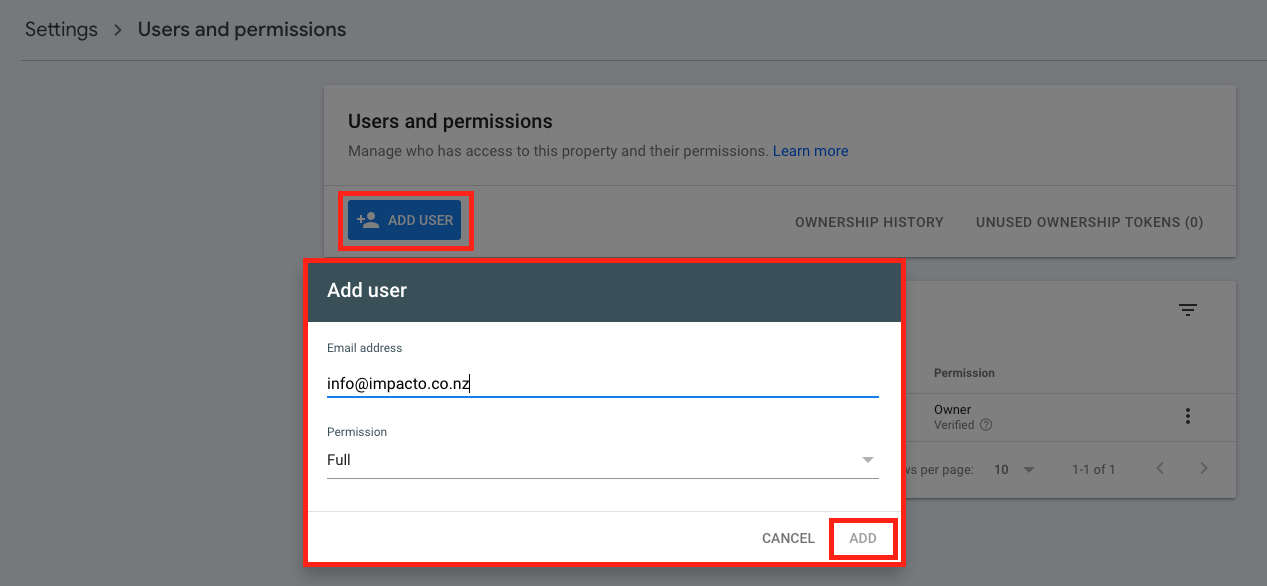
3. Add impacto as a user
Click the blue Add user button.
Enter the email address info@impacto.co.nz
Choose a permission level:
Click Add.
Done! — we’ll receive an invite automatically.